WhatsApp Marketing Automation: How to Build a Two-Way AI Engine with n8n
A complete guide to conversational marketing automation using n8n and WhatsApp Business Cloud
Table of Contents
Let’s be honest for a moment. When most marketers hear “WhatsApp marketing,” they picture the same tired playbook: build a contact list, fire off a promotional message, wait, and hope. Broadcast blasts, open rate bragging, rinse and repeat. But that model is aging fast, and frankly, customers are done with it.
WhatsApp has over 2 billion active users. It is the single most used messaging app on the planet. People do not just open WhatsApp — they live in it. They use it to talk to their families, their friends, their colleagues, and increasingly, the businesses they trust. The channel carries a level of personal intimacy that email lost years ago and that social media never quite had.
So why are most businesses still treating it like a digital megaphone?
The answer is usually one of two things: they either do not know how to build true two-way conversations at scale, or they assume it requires a team of developers and a budget to match. Neither is true anymore. With n8n — the open-source workflow automation platform — and the WhatsApp Business Cloud API, you can build a fully conversational, AI-powered marketing engine without writing a single line of complex code. And the community has already done a lot of the heavy lifting for you.
This post is going to walk you through exactly what that looks like. We will cover why conversational marketing on WhatsApp is the next big shift, what makes n8n the right tool for the job, and then we will break down all 14 community-built marketing automation templates you can use right now. By the end, you will have a clear picture of how to move beyond broadcast and start building something that actually talks back.
The Problem With Broadcast-Only WhatsApp Marketing
Traditional broadcast marketing on WhatsApp works like this: you get a list of opted-in numbers, you craft a message template that Meta approves, you send it, and you track open rates. It is essentially email marketing wearing a WhatsApp costume. And for a while, it worked reasonably well because the channel was new and people were still excited about getting messages there.
That novelty has worn off. Customers have started blocking promotional numbers. Meta has tightened its template approval policies. And perhaps most importantly, people have started to realize the difference between a business that talks at them and one that talks with them.
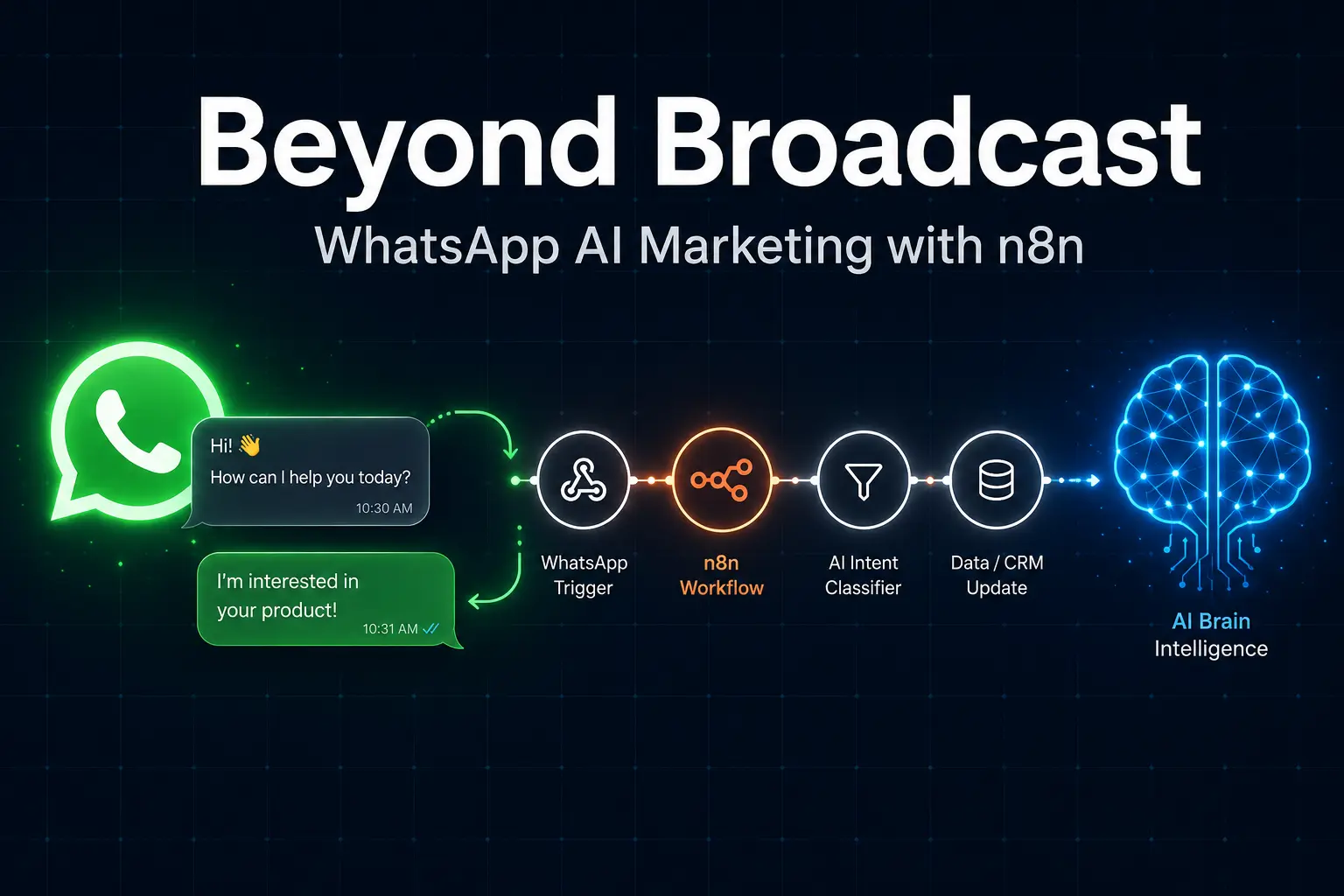
Conversational marketing is not a buzzword. It is a fundamental shift in how the customer relationship works. Instead of sending a message and waiting, a conversational system receives a message, understands it using AI, responds intelligently, takes actions based on that response, and continues the dialogue until the customer’s need is met. It is the difference between a billboard and a salesperson.
The businesses that are building these two-way systems on WhatsApp are seeing dramatically better results. Higher conversion rates because the conversation happens in the moment. Better lead quality because the AI can qualify prospects before any human gets involved. And genuinely happier customers because they feel heard rather than targeted.
Why n8n Is the Right Tool for This Job
There are plenty of automation tools out there. Zapier, Make, Pabbly, ActiveCampaign — the list goes on. So why does n8n stand out for building a WhatsApp AI marketing engine specifically?
The first reason is flexibility. n8n is not opinionated about what you can and cannot do. Where other tools limit you to predefined actions and simple if-this-then-that logic, n8n lets you build genuinely complex workflows with branching logic, custom code nodes, AI agents, and deep integrations. When you are building a system that needs to understand natural language, query a database, call an external API, update a spreadsheet, and respond on WhatsApp — all in the same flow — you need that flexibility.
The second reason is cost. n8n charges per workflow execution, not per task. This means you can build a workflow that involves fifty steps and it still counts as one execution. At scale, this is a massive advantage over tools that charge per operation. A workflow that processes 100,000 actions in a month might cost $500 on other platforms. On n8n, you are looking at a fraction of that.
The third reason is the community. n8n has an enormous and active community of workflow builders who share templates, troubleshoot problems, and continuously build new integrations. The 14 templates we are about to explore are all community-built and freely available (some are premium, but even those are modestly priced). You are not starting from zero — you are standing on the shoulders of hundreds of other builders.
Finally, n8n integrates natively with WhatsApp Business Cloud, which means the webhook setup, message parsing, and response formatting are already handled. You focus on the logic, not the plumbing.
What Makes a Great WhatsApp Automation Workflow?
Before we dive into the templates, it is worth spending a moment on what separates a great WhatsApp workflow from a mediocre one. Because not all automations are created equal.
A great WhatsApp automation does three things well. First, it handles both inbound and outbound messages. This is the core of two-way marketing — your system needs to be able to receive a message from a customer and respond appropriately, not just push messages out.
Second, it uses AI intelligently. This does not mean throwing GPT-4 at every problem. It means using language models where they genuinely add value — understanding intent, generating personalized responses, analyzing images, translating between languages — and using simpler logic everywhere else.
Third, it connects to the rest of your business. A WhatsApp bot that exists in isolation is a novelty. A WhatsApp workflow that writes to your CRM, updates your inventory, triggers your billing system, and logs everything to a spreadsheet is infrastructure. The best workflows in the n8n community do exactly this — they treat WhatsApp as the customer-facing layer of a broader business system.
All 14 WhatsApp Marketing Automation Templates on n8n
The n8n community has built 14 WhatsApp-focused marketing automation templates at the time of writing, each addressing a specific business problem. Let us go through every single one — what it does, who it is for, and why it matters.
1. Automated Law Firm Lead Management & Scheduling with AI, Jotform & Calendar
This template is built for professional service firms — law practices in particular, though the logic applies to any business that handles inbound inquiries through a form. When a potential client fills out a Jotform, the workflow springs into life. It saves the contact data, sends a warm welcome message via WhatsApp, and then kicks off a scheduling flow that books a consultation automatically. The AI component helps qualify the lead before routing it, which saves the firm significant time on low-quality inquiries.
Why it matters: Lead response time is one of the most important factors in conversion. Studies have shown that responding within five minutes of an inquiry can increase conversion rates by up to nine times compared to waiting an hour. This workflow makes that five-minute response automatic.
2. TikTok Video Automation Tool with OpenAI & Replicate
This is a content production powerhouse. It uses OpenAI for script generation and Replicate for video rendering to create short-form video content at scale — the kind of content that drives organic traffic on TikTok. While the primary output is TikTok video, the workflow also uses Telegram for notifications and Gmail for delivery, making it a multi-channel production pipeline. For marketing agencies and brand managers who need a constant stream of short video content, this workflow removes most of the manual work.
Why it matters: Video content is no longer optional for brands that want to stay visible. But video production is time-consuming and expensive. This template democratizes it.
3. Monitor Hotel Competitor Rates and Answer WhatsApp Q&A Using OpenAI GPT-4.1
This is one of the most sophisticated templates on the list and a genuine competitive intelligence tool. Running on an hourly schedule, the workflow scrapes competitor hotel rates for future dates. When prices spike — suggesting a major event is driving demand — it automatically checks event calendars to understand why, calculates the price gap, and prepares actionable intelligence for revenue managers. The WhatsApp component allows hotel staff to ask questions directly and get instant AI-generated answers based on the gathered data.
Why it matters: Dynamic pricing is a significant revenue lever in hospitality. This template makes competitive rate intelligence automatic and accessible via the messaging app that hotel teams already use all day.
4. Send Personalized WhatsApp Templates Triggered by KlickTipp with Auto-Responses
KlickTipp is a popular email marketing and CRM platform, particularly in German-speaking markets. This workflow bridges it with WhatsApp in a clever way: when a contact triggers an outbound event in KlickTipp — say, reaching a certain segment tag or completing a purchase — the workflow sends them a pre-approved personalized WhatsApp template. It also handles inbound responses automatically, creating a two-way loop that most KlickTipp users have never had access to before.
Why it matters: Email automation is mature but engagement is declining. Extending the same event-driven logic to WhatsApp can significantly boost response rates on the same campaigns.
5. Nano Banana AI Product Image Creator via WhatsApp
This one is genuinely exciting for e-commerce sellers and small business owners. The workflow connects WhatsApp to Nano Banana — an AI image generation platform — via Google Gemini for prompt enhancement. A user sends a basic product photo through WhatsApp, and the workflow transforms it into a polished, professional marketing visual. No Photoshop, no designer, no waiting. The enhanced image comes back directly to the same WhatsApp conversation.
Why it matters: High-quality product photography is a significant barrier for small e-commerce businesses. This template removes that barrier entirely, turning WhatsApp into a pocket-sized product studio.
6. Collect WhatsApp Questionnaire Responses in Postgres (Module “Anketa”)
Surveys and questionnaires are fundamental marketing tools — but email survey response rates are notoriously low. This template takes the questionnaire directly to WhatsApp, where engagement is dramatically higher. Users receive questions through a WhatsApp bot, answer in their own words, and all responses are stored automatically in a Postgres database. The modular design means the questionnaire can be customized for any use case: customer satisfaction, lead qualification, event registration, or post-purchase feedback.
Why it matters: Data collection is only useful if people actually respond. WhatsApp completion rates for conversational surveys consistently outperform email by a significant margin.
7. WhatsApp Productivity Assistant with OpenAI, Gmail, Calendar, Tasks & Expense Tracking
This template turns WhatsApp into a personal AI assistant that manages your entire work life. Using OpenAI as the brain, it connects to Gmail, Google Calendar, Google Tasks, and an expense tracker — all accessible through natural language messages on WhatsApp. You can ask it to draft an email, check your calendar for tomorrow, create a task, or log a business expense. It is the kind of workflow that changes how you think about your phone.
Why it matters for marketers: Campaign managers, account managers, and marketing directors who are constantly context-switching between apps will find this genuinely transformative. One interface, everything connected.
8. Process Receipt Images with GPT-4o-mini, WhatsApp & Google Sheets
Expense tracking and invoice management are nobody’s favorite marketing tasks, but they are unavoidable. This workflow solves the problem with elegant simplicity: take a photo of a receipt or invoice, send it on WhatsApp, and GPT-4o-mini reads it, extracts the relevant data, and logs it to a Google Sheet — automatically. Files are also stored in Google Drive for record-keeping. It uses the Meta WhatsApp Cloud API and handles the entire pipeline without human intervention.
Why it matters: For small marketing teams and freelancers managing campaign spend across multiple vendors, this eliminates hours of manual data entry every month.
9. Doctor Appointment Management System with Gemini AI, WhatsApp, Stripe & Google Sheets
Healthcare is one of the most underserved industries when it comes to conversational marketing automation. This template changes that. Using Gemini AI as the conversation engine and Google Sheets as a lightweight database, it handles the entire appointment lifecycle through WhatsApp: initial booking, confirmation, payment processing via Stripe, and pre-appointment reminders. No receptionist required, no appointment scheduling software subscription, no patient portal that nobody uses.
Why it matters: The booking and reminder workflow is directly applicable to any service business — clinics, salons, consultants, tutors — that relies on appointments. The Stripe integration makes it a complete revenue-generation tool, not just a scheduling tool.
10. Product Ingredient Safety Analyzer with Google Gemini via WhatsApp
This is a fascinating template that sits at the intersection of consumer trust and marketing intelligence. Users can send either a text query about a product or a photo of a product label, and Gemini AI analyzes the ingredients for safety concerns, flagging anything problematic and explaining why. For brands in the health, food, beauty, or wellness space, this kind of transparent, on-demand safety analysis builds an enormous amount of consumer trust.
Why it matters: In an era where ingredient transparency is increasingly demanded by consumers — especially in supplements, skincare, and packaged food — this kind of WhatsApp tool positions a brand as genuinely trustworthy rather than just claiming to be.
11. WhatsApp Customer Support with Claude AI, Google Docs & Multilingual Capabilities
This template is one of the most complete customer support solutions on the list. It uses Claude AI (Anthropic’s model, known for its nuanced understanding of context and tone) to handle text, voice, and image messages — all in multiple languages. The AI pulls its answers from a Google Docs knowledge base, which means you can update your support documentation without touching the workflow. Conversation history is maintained, so the AI does not lose context between messages.
Why it matters: Multilingual support on WhatsApp is a significant competitive advantage for any business serving international markets. Most companies either hire multilingual agents (expensive) or use translation middleware that loses context (frustrating). This solves both problems simultaneously.
12. Build a Knowledge-Based WhatsApp Assistant with RAG, Gemini, Supabase & Google Docs
RAG stands for Retrieval-Augmented Generation — a technique that allows an AI model to answer questions based on a specific body of documents rather than just its general training data. This template implements RAG on WhatsApp using Gemini as the language model, Supabase as the vector database, and Google Docs as the knowledge source. The result is a WhatsApp assistant that can accurately answer questions about your business, products, policies, or documentation without hallucinating.
Why it matters: Hallucination — where AI makes up plausible-sounding but incorrect information — is the biggest risk in deploying AI for customer-facing use. RAG dramatically reduces this risk by grounding every response in your actual documents. This template makes that sophisticated approach accessible without a dedicated ML engineering team.
13. YouTube Video Summarizer with Gemini AI to WhatsApp, Telegram & Google Sheets
Content curation is a time-consuming but valuable marketing activity. This workflow automates it. You submit a YouTube video URL, Gemini AI watches it (or reads the transcript), generates a concise summary, and distributes that summary to WhatsApp, Telegram, and a Google Sheet simultaneously. For marketing teams that track competitor content, monitor industry thought leaders, or curate resources for their audience, this is a significant time-saver.
Why it matters: The average marketing team wastes hours every week consuming content they could have gotten the key points from in minutes. This workflow reclaims that time without sacrificing the intelligence gathering.
14. Create SEO-Optimized WordPress Blogs Automatically with Perplexity & Google Trends
This is the content machine that SEO managers dream about. It uses Perplexity AI for research, Google Trends for topic validation, and a multi-step writing pipeline to produce fully SEO-optimized blog articles that can be published directly to WordPress. The workflow integrates with Google Sheets for topic tracking and uses Slack and Telegram for notifications — making it a proper editorial workflow, not just a content generator.
Why it matters: Consistent, high-quality blog content is one of the most reliable long-term marketing investments a business can make. But it is also one of the most resource-intensive. This template turns a process that might take a content team several days into something that runs overnight.
How to Think About Combining These Templates
Looking at these 14 templates individually is useful, but the real power emerges when you start thinking about how they can be combined into a cohesive marketing system. Consider a healthcare clinic: Template 9 handles appointment booking and payments. Template 11 handles multilingual support for patients who speak different languages. Template 8 processes insurance receipts automatically. Template 6 collects post-appointment feedback. Together, these four templates cover the entire patient journey through a single WhatsApp number.
Or consider a SaaS company: Template 14 handles organic content production for top-of-funnel. Template 4 uses event-triggered WhatsApp messages for mid-funnel nurturing. Template 11 handles support queries from paying customers. Template 12 provides accurate, document-grounded answers to product questions. That is a full-funnel marketing and support operation built on four n8n workflows.
This is the real promise of n8n: not just automating individual tasks, but assembling those automations into systems that operate independently, improve over time, and free your team to focus on the creative and strategic work that actually requires human judgment.
Getting Started: A Practical Roadmap
If you are new to n8n or WhatsApp Business Cloud, the stack can feel intimidating at first. Here is a sensible way to approach it:
- Set up WhatsApp Business Cloud. You will need a Meta Business account, a verified phone number, and access to the WhatsApp Business Cloud API. Meta’s documentation walks you through this clearly. The key thing to get right is the webhook URL, which is where WhatsApp will send inbound messages.
- Choose your n8n deployment. You can self-host n8n on a VPS (a cheap DigitalOcean or Hetzner droplet works perfectly), or use n8n Cloud for a managed experience. Self-hosting gives you more control and lower long-term costs; n8n Cloud gets you running faster.
- Pick one template and deploy it. Do not try to build everything at once. Choose the template that solves your most pressing problem, import it, configure the credentials, and test it thoroughly before adding complexity.
- Connect your AI provider. Most templates use OpenAI, Google Gemini, or Anthropic Claude. You will need API keys for whichever model the template uses. All three have generous free tiers for testing.
- Monitor, iterate, and expand. Once your first workflow is running in production, watch how customers interact with it. What questions does the AI answer well? Where does it fall short? Use those insights to refine the prompt, add data sources, or build a second workflow that handles edge cases.
The SEO Angle: Why WhatsApp Automation Supports Your Broader Marketing
There is a dimension to WhatsApp automation that often gets overlooked: its impact on your broader SEO and content strategy. Template 14 — the SEO blog automation — is an obvious example. But the connection runs deeper.
Every conversation your AI has on WhatsApp is a goldmine of voice-of-customer data. The questions people ask, the way they describe their problems, the objections they raise — this is the language your customers actually use. That language should feed directly into your SEO keyword strategy, your content topics, your FAQ pages, and your product descriptions.
If you are storing WhatsApp conversation data in Google Sheets (as several of these templates do), you are sitting on a continuously updated keyword research dataset. You can analyze it weekly to identify patterns, feed those patterns into Template 14 to create relevant blog content, and create a flywheel where your WhatsApp conversations directly drive your organic search traffic.
This kind of feedback loop — where customer interactions inform content strategy, which drives new traffic, which generates more interactions — is the hallmark of a mature, integrated marketing operation. And with n8n, you can build it without a team of engineers or a six-figure MarTech budget.
Common Mistakes to Avoid
As exciting as all of this is, there are a few mistakes that trip up new builders consistently. Here are the most important ones to avoid:
- Skipping consent and compliance. WhatsApp has strict opt-in requirements, and Meta enforces them. Never send proactive messages to contacts who have not explicitly opted in to receive them. Build proper consent mechanisms into your data collection workflows.
- Over-automating the conversation. AI is incredibly powerful, but it does not replace human empathy in every situation. Build escalation paths into your workflows so that genuinely complex or emotionally charged conversations can be handed off to a human agent gracefully.
- Ignoring rate limits. Both the WhatsApp Business Cloud API and the AI model APIs have rate limits. Build error handling and retry logic into your workflows from the start, before you hit these limits at an inconvenient moment.
- Not testing with real conversations. People communicate in unexpected, unpredictable ways. They use slang, abbreviate words, ask multi-part questions, and sometimes send total gibberish. Test your workflows with a diverse range of inputs before going live. What breaks the AI often turns out to be the most common thing your customers will actually say.
- Building without a clear goal. These templates are powerful, but they are means, not ends. Before you build, define what success looks like. More leads? Faster support resolution? Higher appointment booking rates? Build toward a measurable outcome, and you will make better decisions at every step.
The Conversation Is Already Happening
Here is the uncomfortable truth about broadcast-only WhatsApp marketing: your customers are already having conversations without you. They are asking questions that get no response. They are messaging your competitor because that business made itself available. They are forming opinions about your brand based on the silence where a helpful answer should have been.
The 14 n8n templates we have explored in this post represent a very practical set of tools for changing that dynamic. They are not theoretical. They are battle-tested, community-built workflows that real businesses are using right now to book appointments, qualify leads, answer product questions, generate content, process payments, and build genuine relationships with their customers — all through WhatsApp.
The barrier to entry has never been lower. You do not need to hire a developer. You do not need a six-month implementation project. You need a WhatsApp Business Cloud account, an n8n instance, and a willingness to start with one workflow and learn as you go.
The businesses that are winning in conversational marketing right now are not necessarily the ones with the biggest budgets. They are the ones that started earliest. The best time to build your two-way WhatsApp marketing engine was a year ago. The second best time is today.
Stop broadcasting. Start conversing.
WhatsApp marketing automation, n8n WhatsApp workflows, conversational marketing, WhatsApp Business Cloud API, AI marketing automation, n8n templates, two-way WhatsApp marketing, WhatsApp chatbot marketing, n8n community templates, WhatsApp AI assistant
Category: Marketing Automation | Tools: | Reading Time: ~12 minutes